30 paralegal billing entry examples you can use as templates
Paralegals bill for legal work, like drafting discovery or summarizing depositions, but not for clerical work. Use these 30 paralegal billing entry examples as templates.
A paralegal billing entry is a time entry for work a paralegal did on a client's matter. The firm charges it to the client at the paralegal's hourly rate.
Here is one example: "Drafted first set of requests for production to defendant for attorney review, focused on maintenance records for the forklift."
We have built Roar, a dictation app that is light years ahead of Apple Dictation. There's a link to try Roar for free at the end of this article.
Can paralegal time be billed to clients?
Yes. The American Bar Association's Model Guidelines for the Utilization of Paralegal Services say a lawyer "may include a charge for the work performed by a paralegal" when billing for legal services (Guideline 8).
In a fee-award case, Missouri v. Jenkins (1989), the US Supreme Court held that a fee award can include paralegal work at market rates, where firms in the area usually bill it separately. But the Court added a limit in a footnote: purely clerical or secretarial tasks should not be billed at a paralegal rate, regardless of who does them.
So the question for each entry is not who did the work. It is what kind of work it was.
What are some examples of billable paralegal tasks?
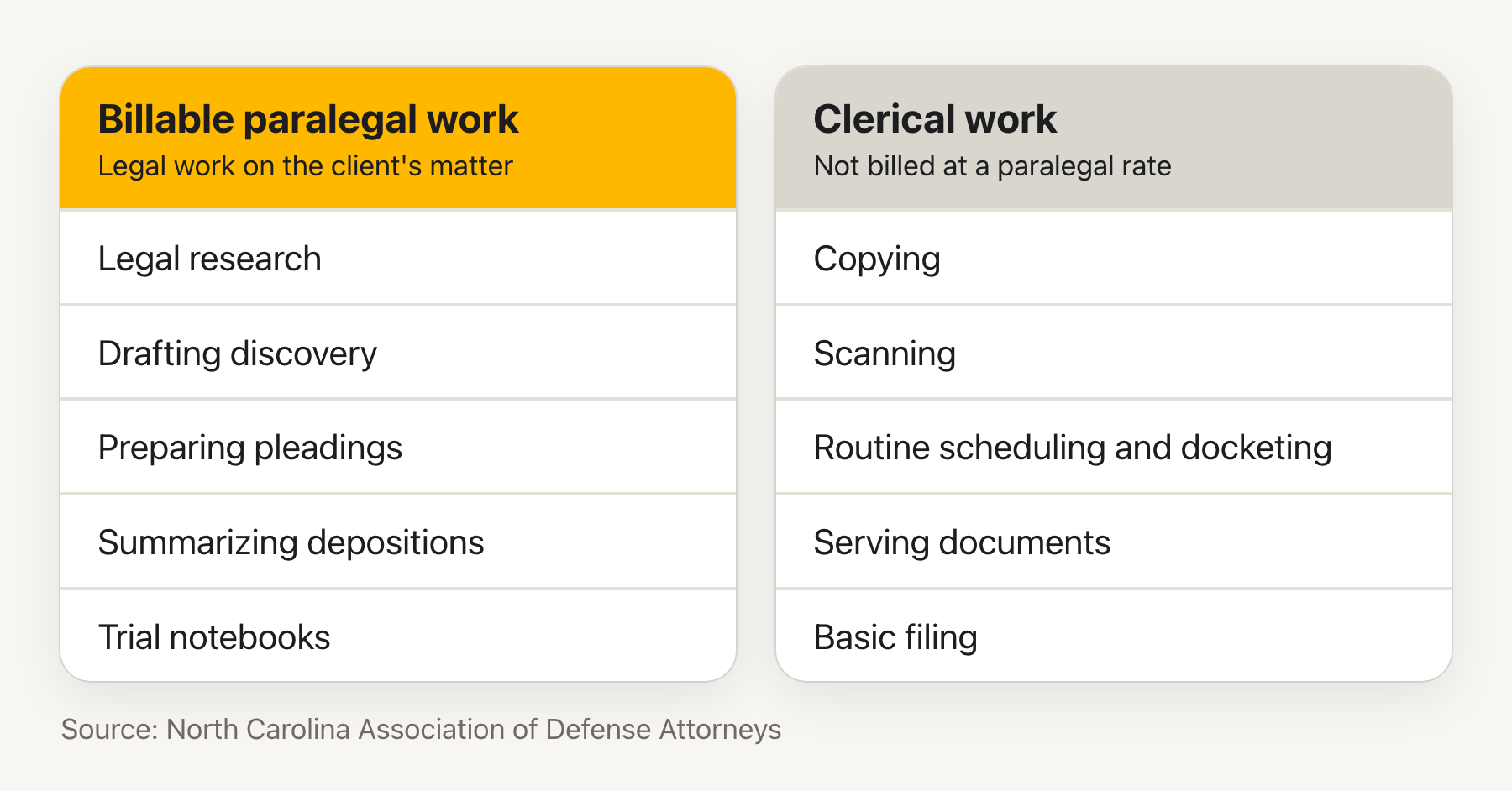
Billable paralegal tasks are legal work on the client's matter. The North Carolina Association of Defense Attorneys lists these in its guide for paralegals:
- Legal research and analysis
- Drafting and responding to discovery
- Preparing and revising pleadings and memoranda
- Reviewing case management and scheduling orders
- Communicating with clients, experts, court staff and opposing counsel, when there is a clear legal purpose
- Summarizing depositions or document productions
- Helping prepare witnesses
- Building trial notebooks and exhibit and witness lists
What paralegal tasks are not billable?
Clerical work is not billed at a paralegal rate. The same guide names copying, scanning, routine scheduling and docketing, serving documents, and basic filing.
The guide says "many carriers will accept zero-time entries" for this work. That means you record the task with no time charged, so the file shows the work was done.
What are examples of paralegal billing entries?
Here are thirty examples, five for each of six kinds of work. Each one says what was done, with whom or on what, and why. The times are left out, because they go in their own field.
Use these examples as templates. Replace the documents, people and purposes with your own.
Discovery
- Drafted first set of requests for production to defendant for attorney review, focused on maintenance records for the forklift.
- Reviewed defendant's responses to interrogatories against our requests; listed seven incomplete answers for attorney's deficiency letter.
- Prepared privilege log for 214 withheld emails; sent to attorney for review before service.
- Reviewed and coded 640 documents from client's production for responsiveness and privilege before production.
- Redacted Social Security numbers and account numbers from client's bank records in preparation for production.
Pleadings and motions
- Prepared draft answer and affirmative defenses from attorney's notes; sent to attorney for review.
- Cite-checked brief in opposition to motion to dismiss; corrected four citations and two pin cites.
- Prepared exhibits A through F for motion for summary judgment and checked each against the record citations in the brief.
- Prepared proposed scheduling order from the court's case management order; sent to attorney with the deadlines highlighted.
- Reviewed court's order on motion to compel to find what must be produced; listed the four document categories and the 14-day deadline for attorney.
Depositions
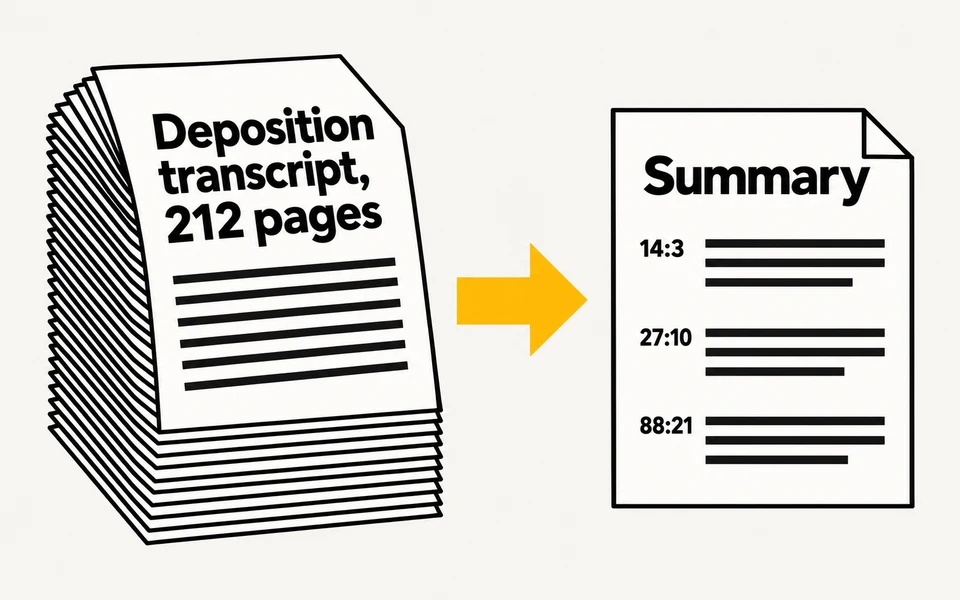
- Summarized deposition of plant supervisor, 186 pages, by topic for attorney's summary judgment outline.
- Prepared deposition notice and subpoena for records custodian of the trucking company; sent to attorney for signature.
- Selected and marked 12 exhibits for deposition of plaintiff's expert from attorney's outline.
- Reviewed errata sheet from defendant's deposition; listed three changes to testimony about the backup camera for attorney.
- Reviewed plaintiff's deposition transcript against attorney's outline; marked testimony on prior injuries for the summary judgment motion.
Medical records and damages
- Reviewed client's medical records from three providers to prepare a treatment chronology for the demand letter.
- Prepared itemized summary of medical bills by provider and checked totals against the billing statements.
- Drafted records requests to two physical therapy providers with client's signed authorizations, to complete the damages file.
- Reviewed hospital records to find missing pages from the emergency room visit; requested the missing pages.
- Telephone call with client about missed work days and pay stubs to calculate the lost wages claim.
Clients, experts and court staff
- Telephone call with client about upcoming deposition date and what to bring; confirmed by email.
- Prepared expert file for accident reconstruction expert, with police report, photos and measurements; sent at attorney's request.
- Telephone call with court clerk about filing requirements for exhibits under seal; reported the steps to attorney.
- Drafted letter to client explaining the mediation date, the process and the documents needed, for attorney review.
- Drafted letter to opposing counsel listing the documents still missing from defendant's production, for attorney review.
Trial preparation
- Prepared trial notebook for attorney with pleadings, key orders, witness outlines and exhibit list.
- Prepared exhibit list and witness list in the court's required format for the pretrial order.
- Prepared summary of each defense witness's earlier testimony, with page and line references, for attorney's cross-examination outlines.
- Prepared deposition designations for two witnesses from attorney's marked transcripts.
- Drafted proposed jury instructions on negligence and damages from the state's pattern instructions, for attorney review.
Our page of billing narrative examples has thirty more entries, written for lawyers and sorted by practice area.
How should paralegals bill for emails?
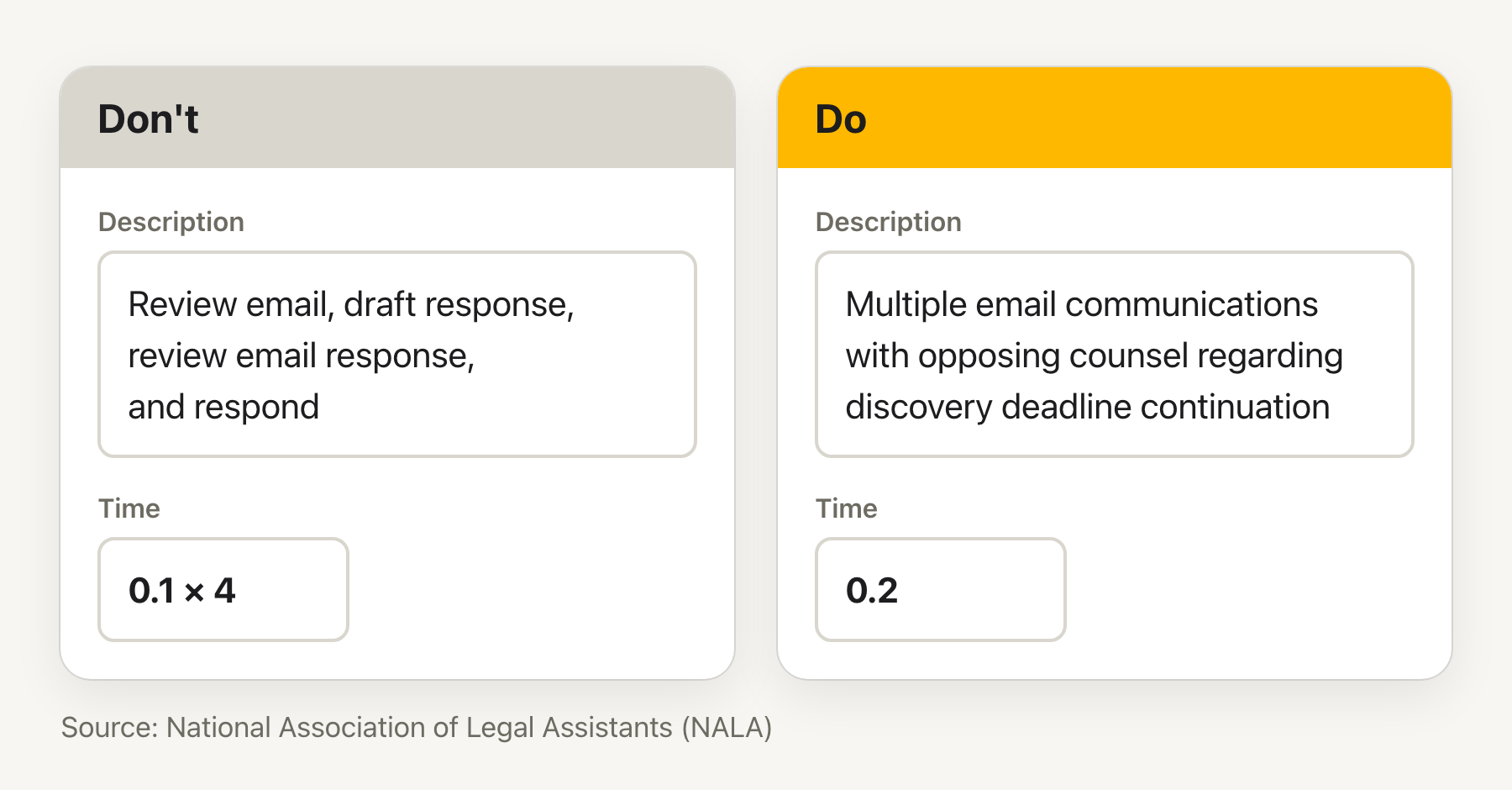
Combine short emails about the same subject into one entry, with the actual time they took. Don't bill the minimum charge for each email.
The National Association of Legal Assistants (NALA) gives this example. Firms often set a minimum charge per task, like 0.1 hours (6 minutes). Billing four short emails at 0.1 each charges 24 minutes. NALA's better entry bills the same emails as one entry of 0.2, or 12 minutes.
The NALA article gives the same kind of example for research. "Legal Research (3.2)" is too vague. "Research for attorney Smith regarding proper deadlines for serving deposition subpoenas for business records (0.8)" tells the client what they paid for.
Can paralegals bill for meetings with the lawyer?
Sometimes, but keep them few and short. Internal meetings show the client the firm talking, not the case moving.
NALA advises billing internal case discussions at a minimum, and folding them into other tasks when you can. It says that if internal conferencing makes up 30 to 40% of a client's invoice, it is too much.
How do paralegals write billing entries faster?
Write each entry as soon as the task ends, and say it out loud instead of typing it. NALA's advice is to capture time as the work happens. Time rebuilt from memory or notes later is often lost or wrong.
Your Mac has free dictation built in, called Apple Dictation. Click in the description field of your time entry, press the Microphone key, and say the entry. On most Mac keyboards from the last few years, the F5 key has a small microphone on it. This is the Microphone key.
Read the entry before you save it. Dictation gets names and legal terms wrong more often than everyday words.
If your firm uses Clio, our guide on dictating in Clio shows where to click. If Dictation is not turned on yet, our guide on how to dictate on a Mac shows how. For how lawyers count their own time, read our billable hours guide.
When should a lawyer pay for a dictation app?
For simple, short text, like a text message, a web search or a quick reply, Apple Dictation works fine in most cases.
A paid app makes sense if you write for hours every day, and if you don't want to fix the dictation errors that Apple Dictation makes.
We've built Roar, the best way to write with your voice. Roar cleans up and formats text based on where you're writing to retain your exact meaning. Think of how emails, LinkedIn posts and AI prompts all need to be formatted differently. It keeps your exact words, to the best extent possible.
Roar types into the apps paralegals already use, like Clio, Microsoft Outlook, Microsoft Word and Gmail.
Roar keeps no recordings of your voice and no transcripts on our servers. It does not use your data to train AI models. Roar works on Macs with macOS 14 Sonoma or later and Apple silicon (M1 or newer).
Your first 5 dictations on Roar are free. You can read how Roar works for lawyers or download Roar for Mac.