Examples of billing narrative for lawyers
30 billing narrative examples for lawyers sorted by practice area. Each example shows what the lawyer did, why, and what came of it. Use these examples as templates.
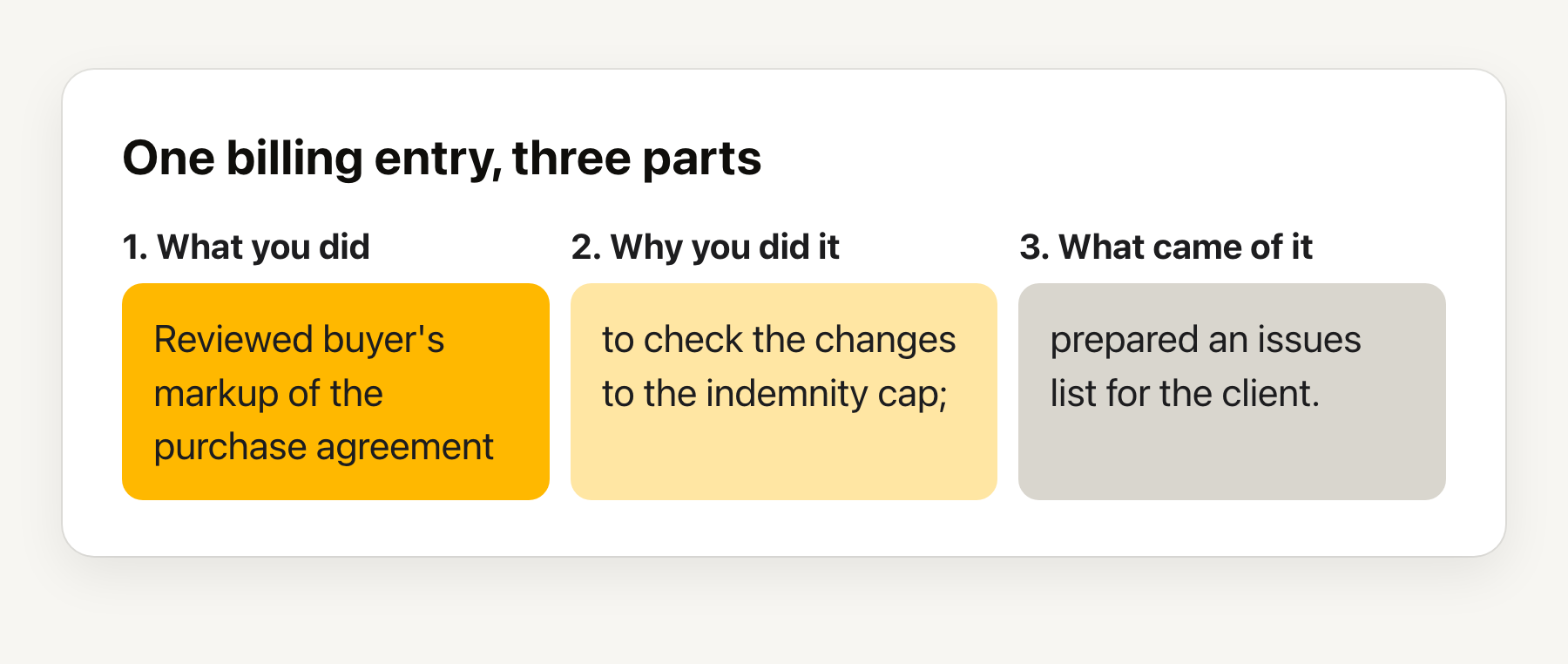
A billing narrative is the sentence on a time entry that tells the client what you did. A good one has three parts:
- What you did.
- Why you did it.
- What came of it.
Here is one example: "Reviewed buyer's markup of the purchase agreement to check the changes to the indemnity cap; prepared an issues list for the client."
We have built Roar, a dictation app that is light years ahead of Apple Dictation. There's a link to try Roar for free at the end of this article.
What is a billing narrative?
A billing narrative is the description on a time entry. It tells the client what work you did, so they can see what they are paying for.
The client reads it on the invoice, often weeks after the work. The client was not there when you did the work, so the entry has to make sense on its own.
Clio's billing guide says an entry should not be too long or too short. It also says clear descriptions lead to fewer disputes with clients.
How do you write a good billing entry?
Write one sentence with three parts: what you did, why, and what came of it.
Follow these rules:
- One task per entry. If you did four things, write four entries.
- Start with a verb in the past tense, like "Reviewed", "Drafted" or "Called". Or name the kind of meeting, like "Telephone conference with client".
- Name the document or the person. "Reviewed lease" is weak. "Reviewed lease renewal proposal from landlord" is clear.
- Say what was decided, or what you sent.
- Put the time in the duration field, not in the sentence.
- Write the entry when the task ends. A few days later, you will not remember the details.
What is block billing?
Block billing means putting several tasks into one time entry with one total time. The client can't tell how long each task took.
Here is a block-billed entry:
- Review file; call with client; draft letter; emails with opposing counsel. 3.4
Here is the same work as four entries:
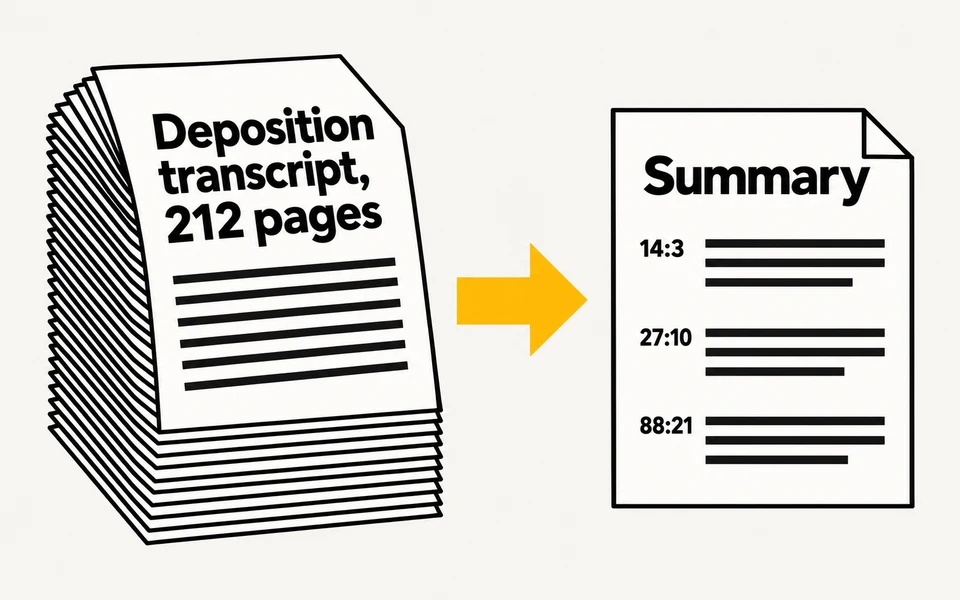
- Reviewed plant manager's deposition transcript to find testimony on the March shutdown for the summary judgment opposition; marked eleven passages. 1.6
- Telephone conference with client about the deposition testimony and settlement; client asked for a written assessment before mediation. 0.4
- Drafted letter to client assessing the deposition testimony and its effect on liability; sent for partner review. 1.1
- Exchanged emails with opposing counsel about the expert disclosure deadline; agreed to a 14-day extension, subject to court approval. 0.3
The total is the same, 3.4 hours. But now the client can check each task.
Clio's guide to the billable hours chart says to list tasks separately instead of block billing. In bankruptcy cases, the US Trustee's fee guidelines go further. They say the US Trustee will object to block billing. A lawyer may only combine small tasks on one project into one entry when they add up to half an hour or less that day.
What are examples of vague billing entries?
Vague entries often say "review file", "attention to matter", "research" and "call with client". The US Trustee's fee guidelines name "attention to" and "review file" as not enough on their own.
Here is each one rewritten with the three parts:
| Vague | Clear |
|---|---|
| Review file | Reviewed deposition transcripts of two line supervisors to find testimony on the March shutdown for the summary judgment opposition |
| Attention to matter | Revised closing checklist after lender's comments; moved survey and insurance items to open; sent to deal team |
| Emails re case | Exchanged emails with opposing counsel about the discovery deadline; agreed to 14 more days; drafted stipulation |
| Research | Researched state case law on non-solicitation clauses for sales staff to answer client's question before the offer letter goes out |
| Call with client | Telephone conference with client about settlement offer; explained trial risks on damages; client approved a counteroffer |
| Draft documents | Drafted first amendment to lease extending the term five years and adding a renewal option; sent to client for comment |
What are some examples of legal billing entries?
Here are thirty examples, five for each of six practice areas. Each one has the three parts. The times are left out, because they go in their own field.
Use these examples as templates. Replace the documents, people and results with your own.
Litigation
- Reviewed plaintiff's motion to compel production of maintenance logs to find grounds for opposition; outlined three, including undue burden for records before 2022.
- Telephone conference with opposing counsel about the deposition schedule for the plant manager and two line supervisors; agreed to dates in the week of March 9 and confirmed by email.
- Drafted opposition to motion to compel, sections on relevance and proportionality; sent draft to partner for review.
- Prepared outline for deposition of plaintiff's damages expert, focused on the lost profit assumptions; selected twelve documents as exhibits.
- Attended case management conference by video; court set the fact discovery cutoff and summary judgment schedule; reported dates to client by email.
Corporate and transactional
- Reviewed buyer's markup of asset purchase agreement, sections 7.2 and 9.1, to check changes to the indemnity cap and survival period; prepared issues list for client.
- Telephone conference with client about the issues list; client approved positions on the cap and basket; revised markup.
- Drafted board consent approving the line of credit and authorizing officers to sign the loan documents; sent to client's corporate secretary for signatures.
- Reviewed disclosure schedules against the representations in article 4; flagged two missing contracts and one undisclosed lien for client follow-up.
- Conference call with lender's counsel about the closing checklist; agreed on open items and a target signing date; updated and sent checklist.
Family law
- Telephone conference with client about the proposed holiday parenting schedule; explained options for alternating years; client chose alternating Thanksgiving and a split winter break.
- Drafted financial disclosure declaration from client's bank and retirement statements; asked client for current balances on two accounts.
- Reviewed opposing party's child support worksheet to check the income figures; found bonus income left out; drafted letter to opposing counsel.
- Prepared client for mediation by video; reviewed priorities for the house and the retirement accounts; agreed on opening position.
- Attended temporary orders hearing; court gave client temporary exclusive use of the home; summarized the order for client by email.
Real estate
- Reviewed title commitment for the warehouse purchase to find exceptions for the objection letter; flagged an unreleased 2011 mortgage and an access easement.
- Drafted title objection letter to seller's counsel requiring release of the 2011 mortgage before closing; sent with copy to client.
- Reviewed lease renewal proposal against the current lease to compare rent increases and repair duties; summarized three changes for client.
- Telephone conference with lender's counsel about survey requirements; agreed the current survey can be updated instead of redone; told surveyor.
- Reviewed closing statement for tax and rent prorations; found the tax proration date wrong and had the title company correct it; approved final statement.
Employment
- Telephone conference with client's HR director about an employee's accommodation request; outlined the next steps; scheduled follow-up once medical documents arrive.
- Reviewed former employee's demand letter claiming unpaid overtime to assess exposure; asked client for time records and pay stubs for the claim period.
- Drafted separation agreement and release for departing sales manager, including return of property and non-solicitation terms; sent draft to client for review.
- Revised remote work section of the employee handbook to cover expense reimbursement and timekeeping; sent redline to client.
- Drafted position statement answering agency charge of discrimination, sections on the legitimate, nondiscriminatory reasons for termination; sent to client to check the facts.
Estate planning
- Initial meeting with clients about estate plan; reviewed assets, guardians for their minor children and plans for the family cabin; agreed on a revocable trust plan.
- Drafted revocable living trust and pour-over wills for both clients from meeting notes; prepared summary letter explaining who receives what.
- Telephone conference with client about trustee selection; client chose her sister as successor trustee with a bank as alternate; updated drafts.
- Reviewed beneficiary designations on client's retirement accounts and life insurance to match the trust; found one naming a former spouse; advised client to update it.
- Supervised signing of trust, wills, powers of attorney and health care directives; arranged witnesses and notary; gave originals to clients.
How do you write billing entries faster?
Write each entry as soon as the task ends, and say it out loud instead of typing it.
A time entry is one sentence. You already know what you did, right after you did it. Saying it takes a few seconds.
Your Mac has free dictation built in, called Apple Dictation. Click in the description field of your time entry, press the Microphone key, and say the entry. Apple Dictation adds most commas and periods for you. Our guide on how to dictate on a Mac shows how to switch it on.
Read the entry before you save it. Dictation gets names and legal terms wrong more often than everyday words.
When should a lawyer pay for a dictation app?
For simple, short text, like a text message, a web search or a quick reply, Apple Dictation works fine in most cases.
A paid app makes sense if you write for hours every day, and if you don't want to fix the dictation errors that Apple Dictation makes.
We've built Roar, the best way to write with your voice. Roar cleans up and formats text based on where you're writing to retain your exact meaning. Think of how emails, LinkedIn posts and AI prompts all need to be formatted differently. It keeps your exact words, to the best extent possible.
For lawyers, Roar types into the apps you already use, like Clio, Microsoft Outlook, Microsoft Word and Gmail.
Roar keeps no recordings of your voice and no transcripts on our servers. It does not use your data to train AI models. Roar works on Macs with macOS 14 Sonoma or later and Apple silicon (M1 or newer).
Your first 5 dictations on Roar are free. You can read how Roar works for lawyers or download Roar for Mac.