Voice typing for RSI: how to type less on a Mac when your hands hurt
Voice typing for RSI lets you write by speaking, so your hands press far fewer keys. It does not treat RSI. This guide shows how to set up free voice typing on a Mac.
If typing hurts your wrists or hands, see a doctor first. Pain that doesn't go away, or gets worse, needs a professional to look at it.
Voice typing means you speak, and your computer types the words for you. It doesn't treat RSI, but your hands press far fewer keys to write the same words.
We have built Roar, a dictation app that is light years ahead of Apple Dictation. There's a link to try Roar for free at the end of this article.
What is RSI?
RSI stands for repetitive strain injury. The NHS, the UK's health service, describes it as pain caused by repeated movement of part of the body. Typing is one of the examples it gives.
The NHS lists these symptoms:
- pain, which may feel like burning, aching or throbbing
- stiffness and weakness
- tingling or numbness
- muscle cramps
- swelling
It usually affects the shoulders, elbows, forearms, wrists, hands or fingers.
Is typing a repetitive motion that can cause RSI?
Yes. The NHS lists typing as one of the repeated activities that can cause RSI. It also says that repetitive work doesn't always cause RSI.
For carpal tunnel syndrome, the answer is less clear. MedlinePlus, from the US National Library of Medicine, says researchers aren't sure whether long-term typing or computer use leads to it.
When should I see a doctor about wrist pain from typing?
See a doctor if the pain doesn't go away, or if it gets worse. This is the NHS's advice for RSI.
Don't wait too long. MedlinePlus says carpal tunnel syndrome is easier to treat early on.
Your doctor can also tell you which changes to your work are safe for you. Voice typing is one change you can ask about.
Does voice typing help with RSI?
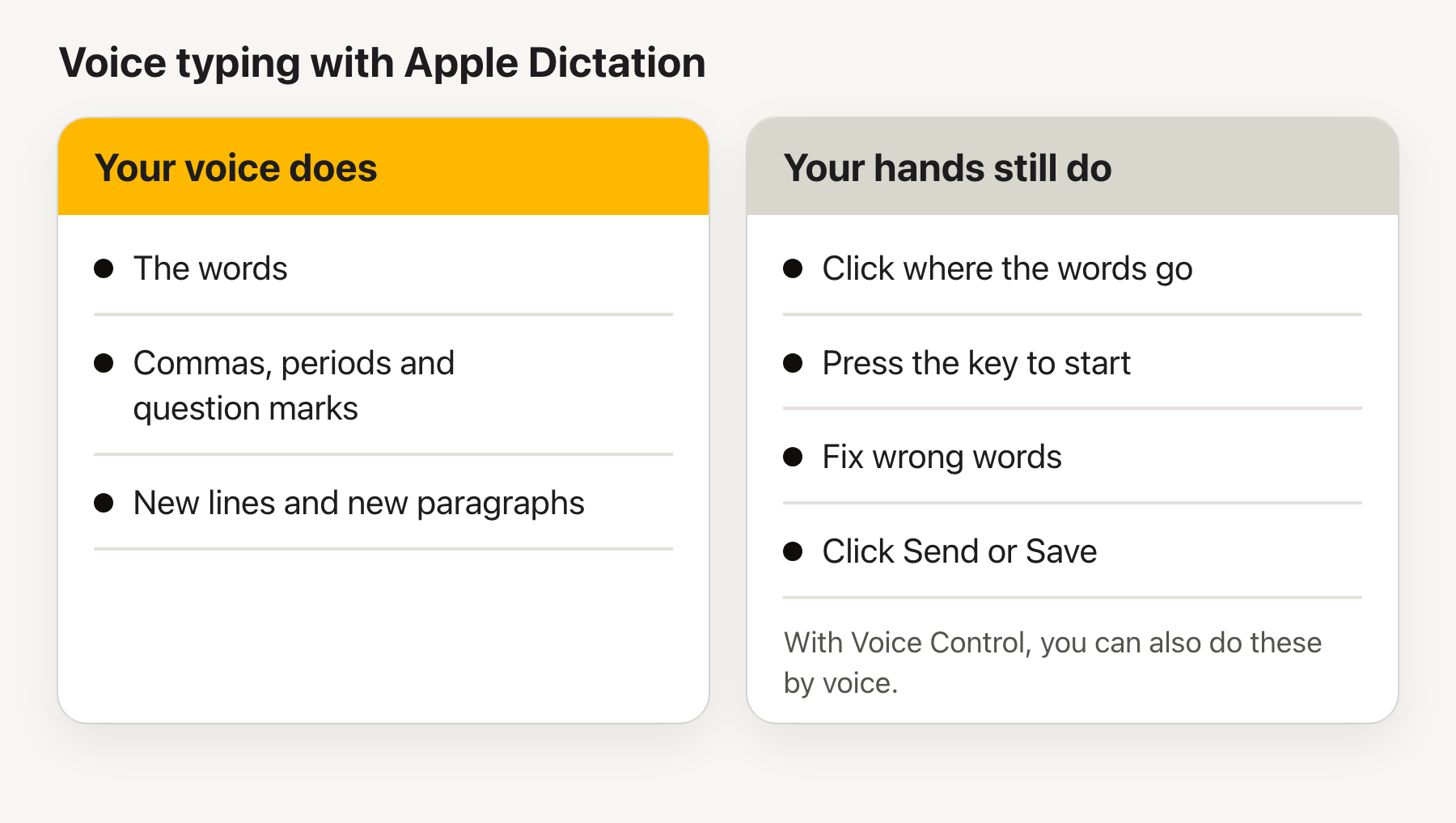
Voice typing doesn't treat or cure RSI. What it does is take over most of the typing. When you speak, your Mac types the letters, the spaces and most of the punctuation for you.
The NHS suggests talking to your employer about changing the way you work. Writing by voice is one way to change it.
How many key presses does voice typing save?
For a 300-word email, voice typing saves more than 1,700 key presses.
In typing tests, a word counts as 5 characters. So a 300-word email is about 1,500 characters. In a large typing study by Aalto University and the University of Cambridge, people pressed about 1.17 keys for every character, because they also pressed keys to fix mistakes. That is more than 1,700 key presses. With voice typing, you say those words instead.
Your hands still do some of the work, unless you also turn on Voice Control.
How do I turn on voice typing on a Mac?
Every Mac comes with free voice typing. Apple calls it Dictation.
Time needed About 2 minutes.
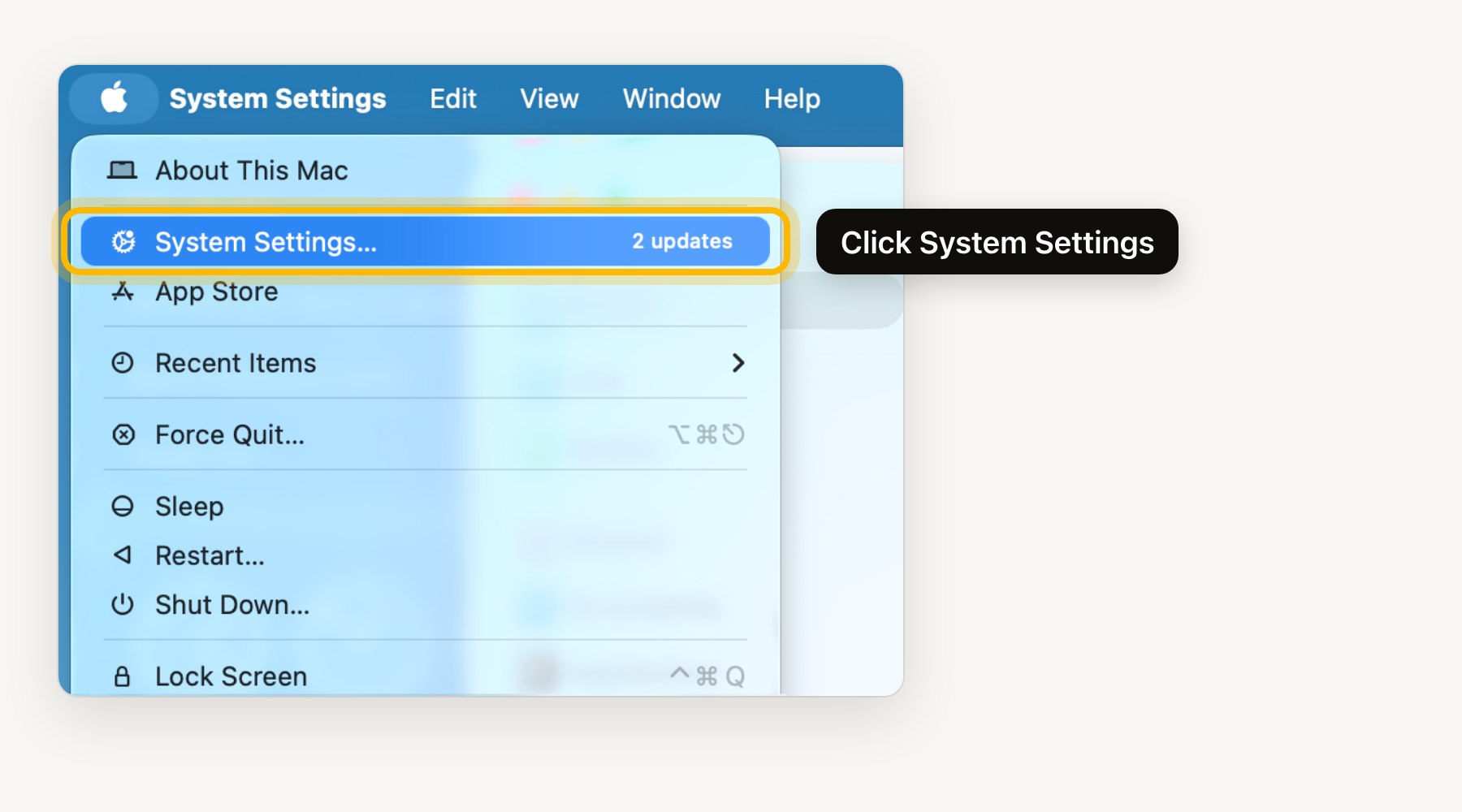
- Click the Apple logo in the top-left corner of your screen, then click System Settings.
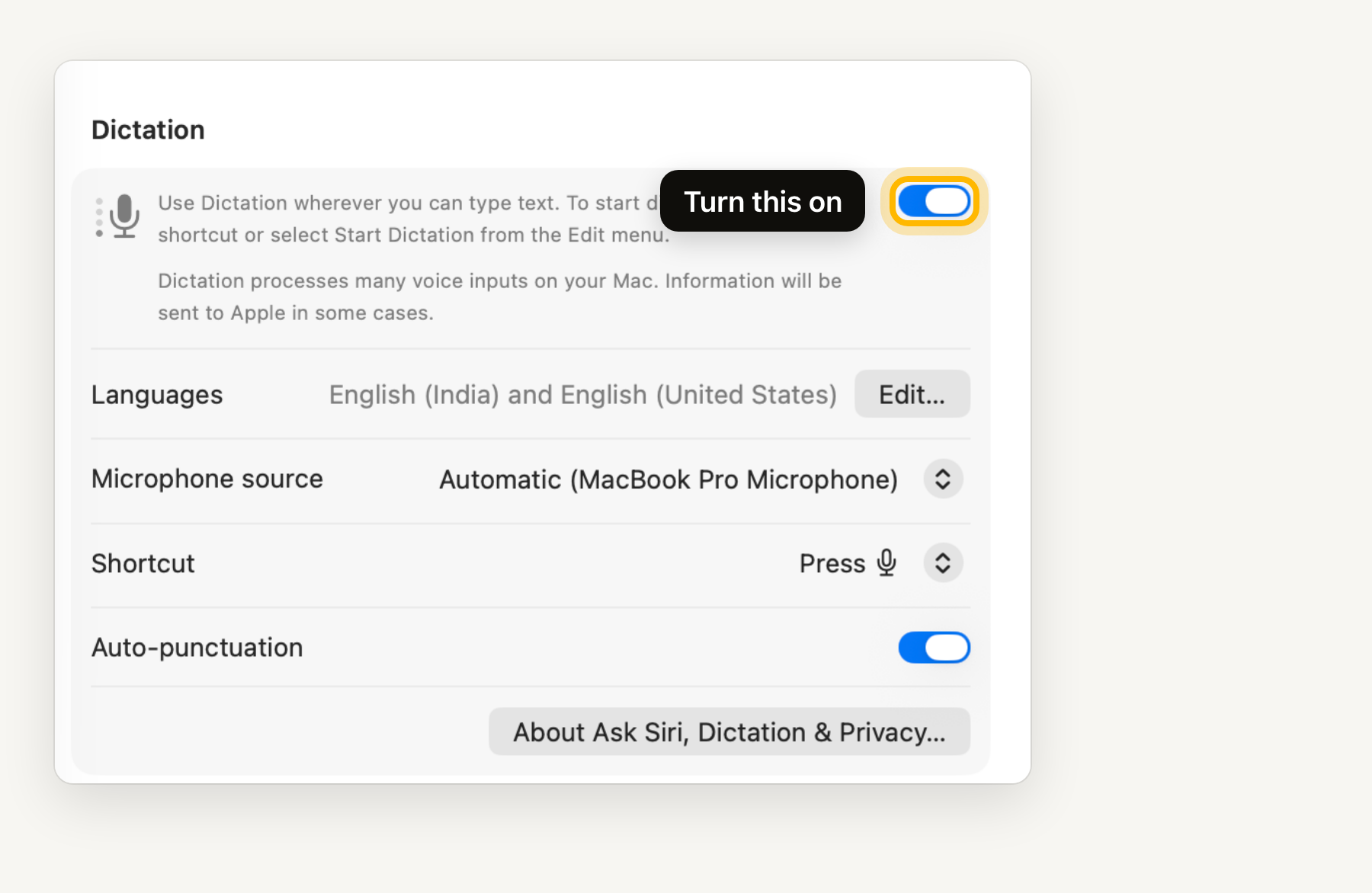
- Click Keyboard in the list on the left. Scroll down to Dictation, and click the switch to turn it on. If your Mac asks, click Enable.
- Click where you want the words to go, like an email or a document.
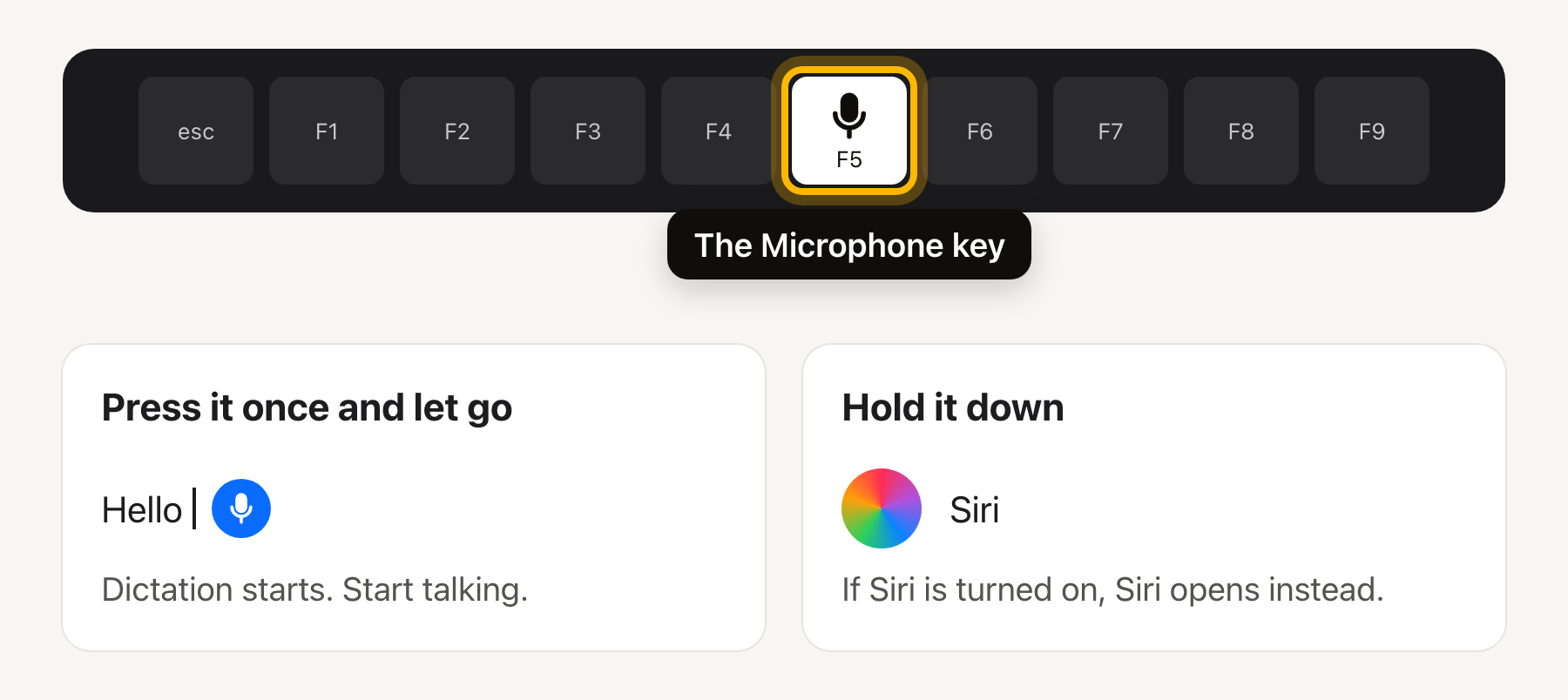
- Press the Microphone key once and let go. On most Mac keyboards from the last few years, the F5 key has a small microphone on it. This is the Microphone key.
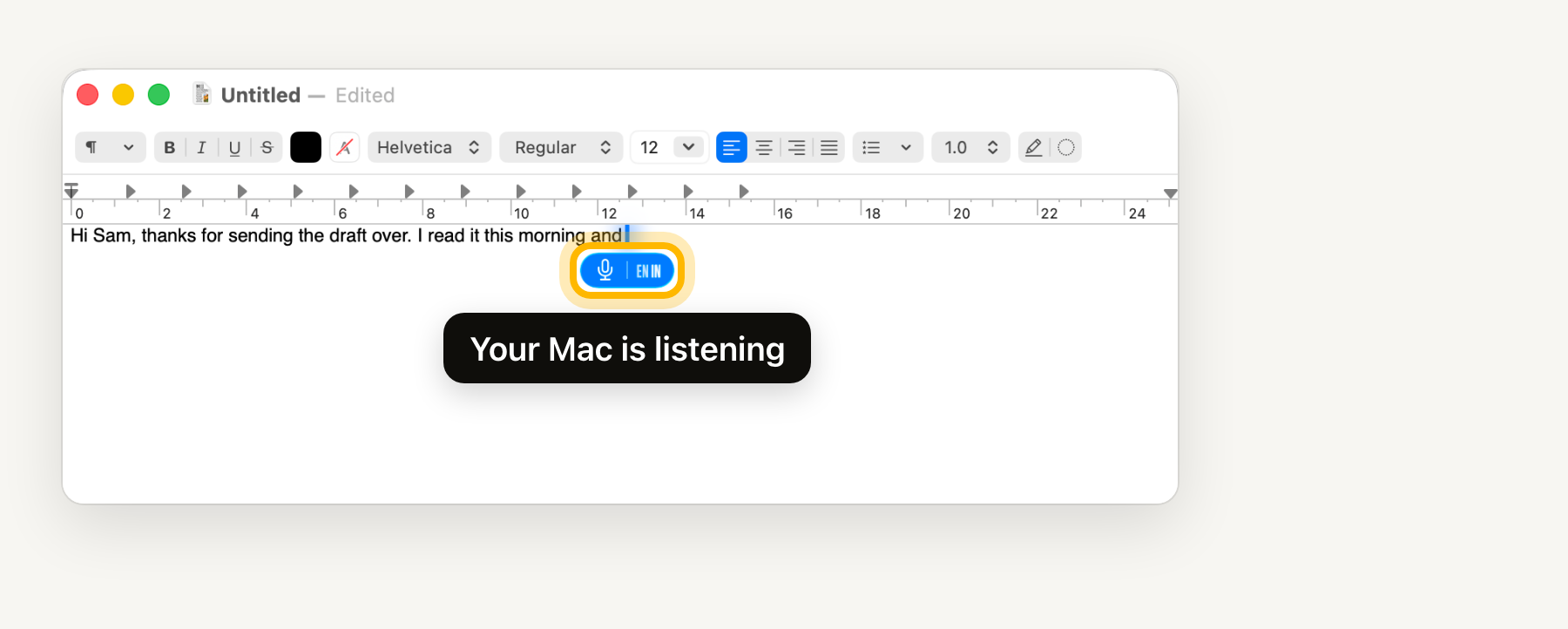
- When a small microphone appears next to your cursor, start talking.
- When you finish, press the Microphone key again, or press Escape.
Don't hold the key down. If Siri is turned on, holding the key opens Siri instead.
If pressing a key is hard for you, you can start Dictation with the mouse. Click Edit in the menu bar at the top of the screen, then click Start Dictation. You can also choose a different shortcut. On the Keyboard page, under Dictation, click the menu next to Shortcut.
If Dictation doesn't start, our guide to Mac dictation not working covers every fix.
How do I fix mistakes without typing?
With Apple Dictation, you fix mistakes with the mouse. Dictation often underlines a word it isn't sure about in blue. Click the underlined word and pick the right one from the list.
If you want to fix words by voice too, turn on Voice Control. It is also free, and it comes with your Mac. Voice Control lets you control your whole Mac by voice. You can say "Replace cat with dog" to change a word, or "Show numbers" to put a number on every button you can click, and then say the number.
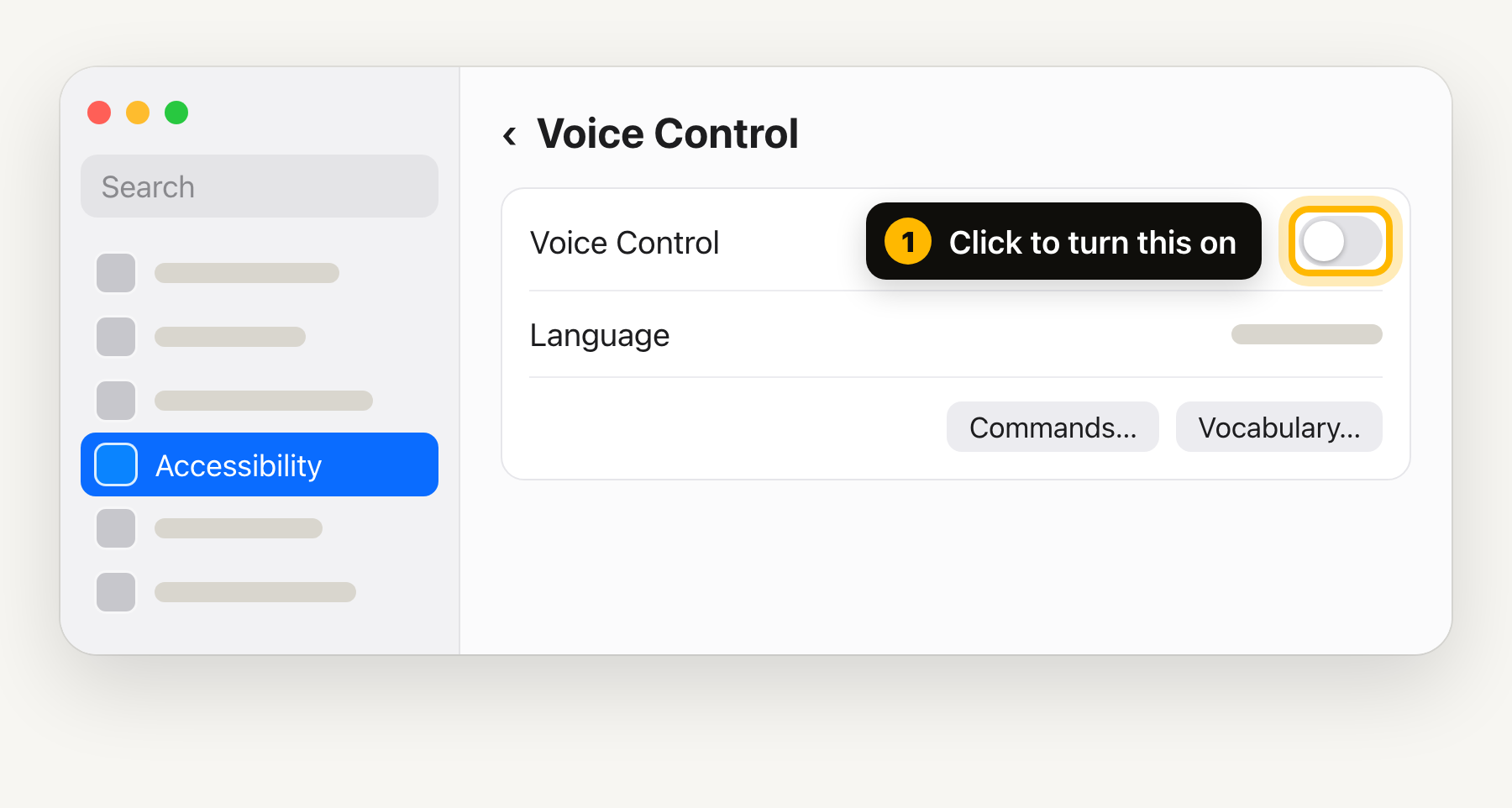
To turn it on, open System Settings, click Accessibility, then click Voice Control. Click the Voice Control switch to turn it on.
Which voice commands should I learn first?
Learn the ones for punctuation and new lines. Apple Dictation adds most commas, periods and question marks for you. When it misses one, say it out loud:
| Say this | You get |
|---|---|
| "comma" | , |
| "period" | . |
| "question mark" | ? |
| "new line" | The next words start on a new line |
| "new paragraph" | A blank line, then a new paragraph |
Our list of Mac dictation commands has the rest.
Why does dictation stop when I pause?
Apple Dictation stops by itself when you haven't spoken for 30 seconds. Apple designed it this way, and there is no setting to make it longer. There is no limit on how long you talk.
We know this is annoying, especially when every key press counts. The only fix is a habit. Before you start talking after a pause, look at your cursor. If the small microphone has gone, start Dictation again.
Is voice typing for RSI free?
Yes. Apple Dictation and Voice Control are both free, and they come with every Mac. You don't need to buy or install anything to try voice typing.
When should you pay for a dictation app?
For simple, short text, like a text message, a web search or a quick reply, Apple Dictation works fine in most cases.
A paid app makes sense if you write for hours every day, and if you don't want to fix the dictation errors that Apple Dictation makes.
We've built Roar, the best way to write with your voice. Roar cleans up and formats text based on where you're writing to retain your exact meaning. Think of how emails, LinkedIn posts and AI prompts all need to be formatted differently. It keeps your exact words, to the best extent possible.
Roar keeps no recordings of your voice and no transcripts on our servers. It does not use your data to train AI models. Roar works on Macs with macOS 14 Sonoma or later and Apple silicon (M1 or newer).
Your first 5 dictations on Roar are free. You can read how Roar works or download Roar for Mac. If you write code all day, read how Roar works for developers.