How to dictate effectively on a Mac
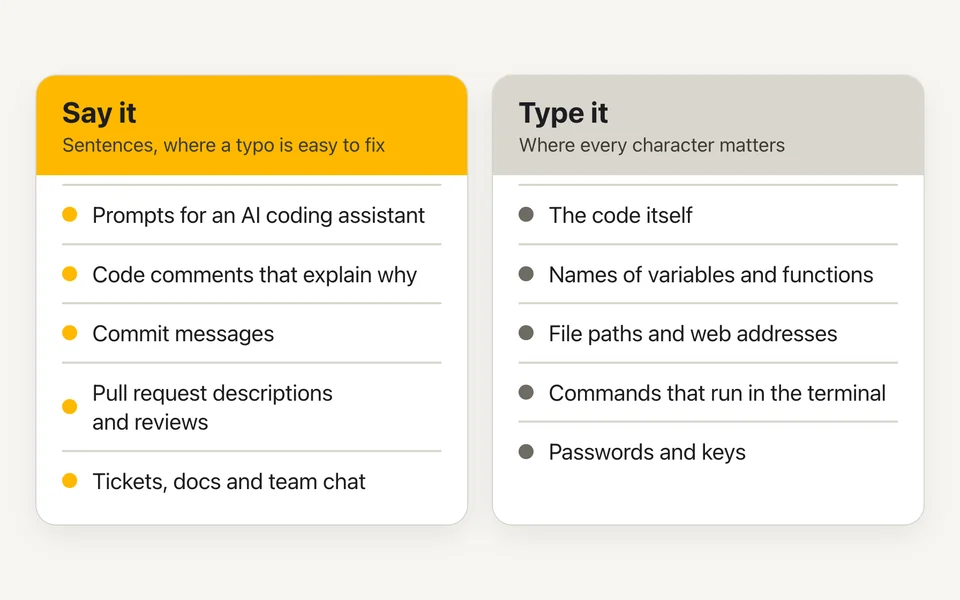
To dictate well, plan what you will say, speak clearly in a quiet room, say the punctuation out loud, and fix mistakes after you finish, not while you talk.
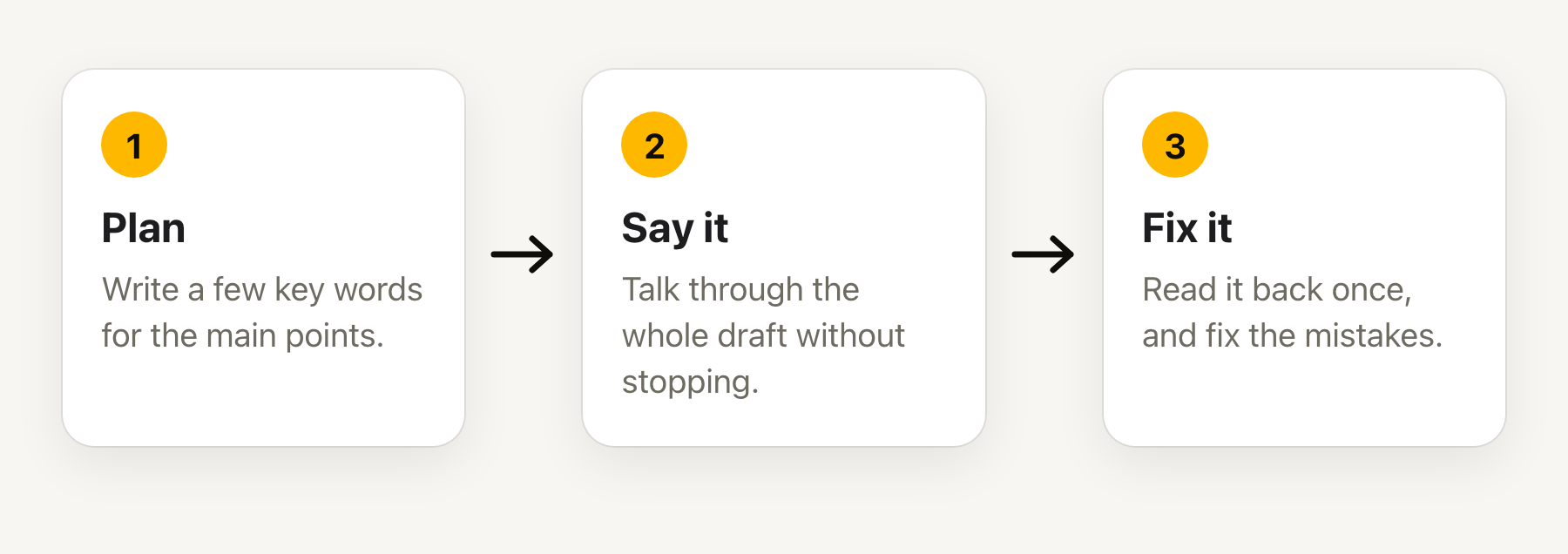
To dictate well, plan what you will say before you start, and fix mistakes only after you finish.
We have built Roar, a dictation app that is light years ahead of Apple Dictation. There's a link to try Roar for free at the end of this article.
Is there an easier way to dictate than plan, say and fix?
Yes. Plan, say and fix works, but it takes time and it is tedious, and nobody really enjoys it. You plan the shape of an email before you start. You say "comma" and "new paragraph" while you talk. Then you read everything back to fix the punctuation, the capital letters and the layout.
Dictation has caught up. We have built Roar, a dictation app that understands where you are typing and formats your words to fit. Say the same thing into Gmail, LinkedIn or ChatGPT, and you get an email, a LinkedIn post or an AI prompt, each laid out the way it should be.
Roar also adds the punctuation and the capital letters and fixes the spelling, so you don't need to say "comma" or "period" out loud. It doesn't paraphrase your words or write new sentences for you. It keeps your exact words, to the best extent possible.
That changes all three steps. You still need to know what you want to say. But you no longer plan the layout, you talk naturally without reading out the punctuation, and there is much less to fix at the end.
Roar only reads the name of the app you are in, never what is on your screen. There's a link to try Roar for free at the end of this article.
The rest of this guide shows how to dictate well with any dictation tool, including Apple Dictation.
How do I improve my dictation skills?
Plan before you speak, speak clearly, say the punctuation, and fix mistakes at the end. Each habit is explained below. If you have never used dictation on a Mac, start with our guide on how to dictate on a Mac, which shows how to turn it on.
Why should I plan before I dictate?
Planning helps because it is hard to think and talk at the same time. When you type, you can stop between words to think. When you dictate, a pause in the middle of a sentence often leaves you with a half sentence and a lost thought.
Before you start, write three to five key words on a piece of paper or at the top of the document. One key word for each point you want to make is enough.
Time needed About 1 minute for an email, about 5 minutes for a long document.
For a long document, write the headings first. Joanna Penn, an author who dictates her books, suggests using your chapter headings and subheadings as a plan, and talking about one topic at a time.
How should I speak when I dictate?
Speak clearly, a little slower than usual, at a normal volume. Apple's advice is to speak at a volume that is not too quiet or too loud, and to avoid background noise.
- Talk in full sentences, as if you were explaining something to a colleague sitting next to you.
- Don't shout, and don't speak too softly.
- Keep a steady distance from the microphone, so your voice doesn't get louder and quieter as you move.
Jim Calloway, writing for the Oklahoma Bar Association, says that if you speak slowly and clearly, proofreading and editing should be quick.
Where should I dictate?
Dictate in a quiet room, with the door closed if you can. Background noise, like other people talking or music, makes your dictation worse.
If you can't find a quiet room, use a headset with a microphone. Apple suggests a headset when you dictate in a noisy room or a room with an echo. Also make sure nothing covers your Mac's microphone, like a sleeve or a pile of papers.
Our guide on how to dictate on a Mac shows how to choose your microphone in System Settings.
How do I add punctuation when I dictate?
In Apple Dictation, say the name of the punctuation mark where you want it. These are the ones you will use most:
| Say this | You get |
|---|---|
| "comma" | , |
| "period" | . |
| "question mark" | ? |
| "new line" | The next words start on a new line |
| "new paragraph" | The next words start a new paragraph |
Apple Dictation also adds some punctuation by itself as you talk. If you don't want that, our guide on how to turn off auto-punctuation shows how. For the full list of what you can say, see our Mac dictation commands.
It feels strange to say "comma" out loud at first. It gets easier with practice.
Should I fix mistakes while I dictate?
No. Finish the whole draft first, then fix it. If you stop after every sentence to correct a word, you lose your train of thought, and dictating becomes slower than typing.
Joanna Penn's advice is to get the first draft done and edit later. Expect to make a light edit every time. Dictation is never perfect, so plan a few minutes at the end to read it back.
How do I fix words that dictation gets wrong?
Read your text once from top to bottom when you finish, and fix each mistake as you find it.
- Click the wrong word and type over it.
- If Apple Dictation is not sure about a word, it underlines it in blue. Click the underlined word and pick the right one from the list.
- Look out for words that sound alike, like "there" and "their", and check every name carefully.
On a Mac with Apple silicon, you can also type while Dictation is still on. You don't need to stop dictating to fix a word.
How do lawyers dictate letters and memos?
Lawyers can use the same habits, with a few more:
- Have the file open. Keep the documents you need in front of you, so you don't stop to look things up.
- Plan the letter on paper first. Write the client's name, the matter and the three or four points you need to make.
- Say "new paragraph" between points, so the letter comes out in the right shape.
- Type names and case numbers yourself during your edit. Don't trust dictation with them.
- Read every letter before it goes out. A dictated letter needs the same check as a typed one.
If you bill your time, our guide on how to bill time in 6-minute increments shows how to record the time it took.
Is dictating faster than typing?
Usually, yes. An average person types 1,000 words in about 19 minutes, and can say them in about 7. Our guide on how long it takes to type 1,000 words versus dictating them compares the two with real numbers.
When should you pay for a dictation app?
For simple, short text, like a text message, a web search or a quick reply, Apple Dictation works fine in most cases.
A paid app makes sense if you write for hours every day, and if you don't want to fix the dictation errors that Apple Dictation makes.
We've built Roar, the best way to write with your voice. Roar cleans up and formats text based on where you're writing to retain your exact meaning. Think of how emails, LinkedIn posts and AI prompts all need to be formatted differently. It keeps your exact words, to the best extent possible.
Roar keeps no recordings of your voice and no transcripts on our servers. It does not use your data to train AI models. Roar works on Macs with macOS 14 Sonoma or later and Apple silicon (M1 or newer).
Your first 5 dictations on Roar are free. You can read how Roar works or download Roar for Mac.