How do journalists write so fast?
Journalists write fast because they plan the story before they write it. This guide shows how they do it, so you can write your next story the same way.
Journalists write fast because they plan the story before they write it. Then they write the first draft in one go, and use the time they saved to check the facts.
We have built Roar, a dictation app that is light years ahead of Apple Dictation. There's a link to try Roar for free at the end of this article.
How do journalists write so fast?
Journalists write fast because they make most of the decisions before they start writing. They know what the story is, what goes at the top, and what they will leave out.
Roy Peter Clark, a writing teacher at the Poynter Institute, lists twelve ways to write faster. These are some of them:
- Don't separate the reporting and the writing. Think about the story while you report it.
- Mark your notes as you take them, so you can find the top of the story and the best quotes later.
- Write a five-point plan before you start the draft.
- Lower your standards for the first draft. You will fix it later.
- Keep the story short.
- Know a few standard structures for a story, so you don't have to invent one each time.
Only one of these tips is about typing. The rest are about making decisions before you write. Slow writers often blame their typing, but most of their time goes to deciding what the story is, one sentence at a time.
How do you structure a news story?
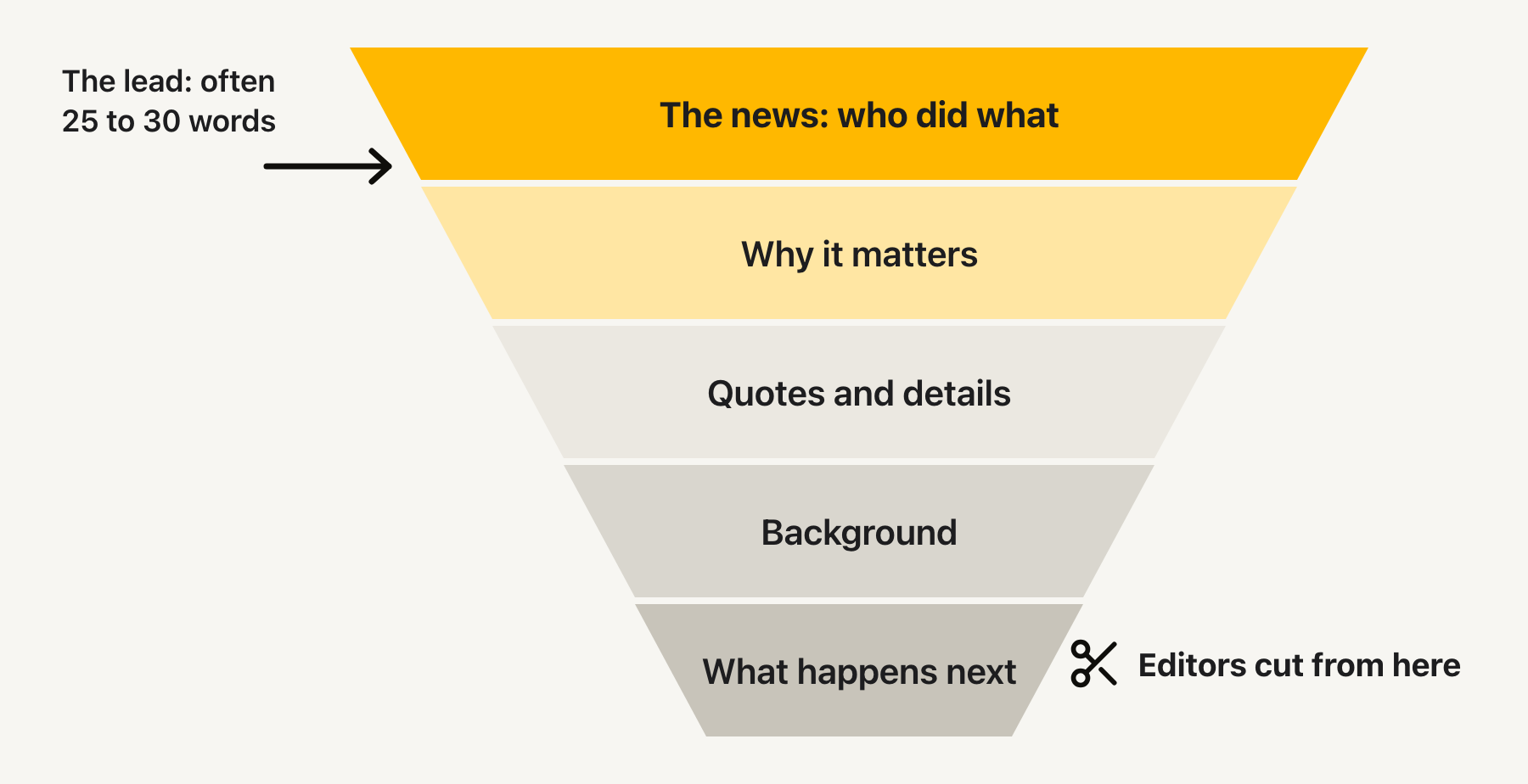
Most news stories use a structure called the inverted pyramid. The most important news goes in the first paragraph. Why it matters goes next. Everything else follows, from the most important to the least important.
This is what goes in each part:
- The first paragraph is called the lead. It says who did what, and why it is news. A lead is usually one sentence, sometimes two. It is often 25 to 30 words, and should rarely be more than 40.
- The next paragraph says why the story matters now.
- The paragraphs after that hold the quotes, the numbers and the background, in order of importance.
- The end is often what happens next.
This structure comes from the days of the telegraph. Reporters sent the most important facts first, so the news still arrived if the line was cut. Editors kept it because it makes a story easy to shorten. If an editor needs to cut, they cut from the bottom, and nothing important is lost.
When you plan the story before you start, you don't have to decide the order while you write.
How do I plan a news story before writing?
Write a plan of five short lines before you start the draft. Each line is one part of the story, in the order the reader will see it.
Time needed About 10 minutes, if you marked your notes while you reported.
- While you report, mark your notes. Write "top" next to the main news, "quote" next to the lines you want to use, and a star next to important numbers.
- When you sit down to write, read only the marked lines.
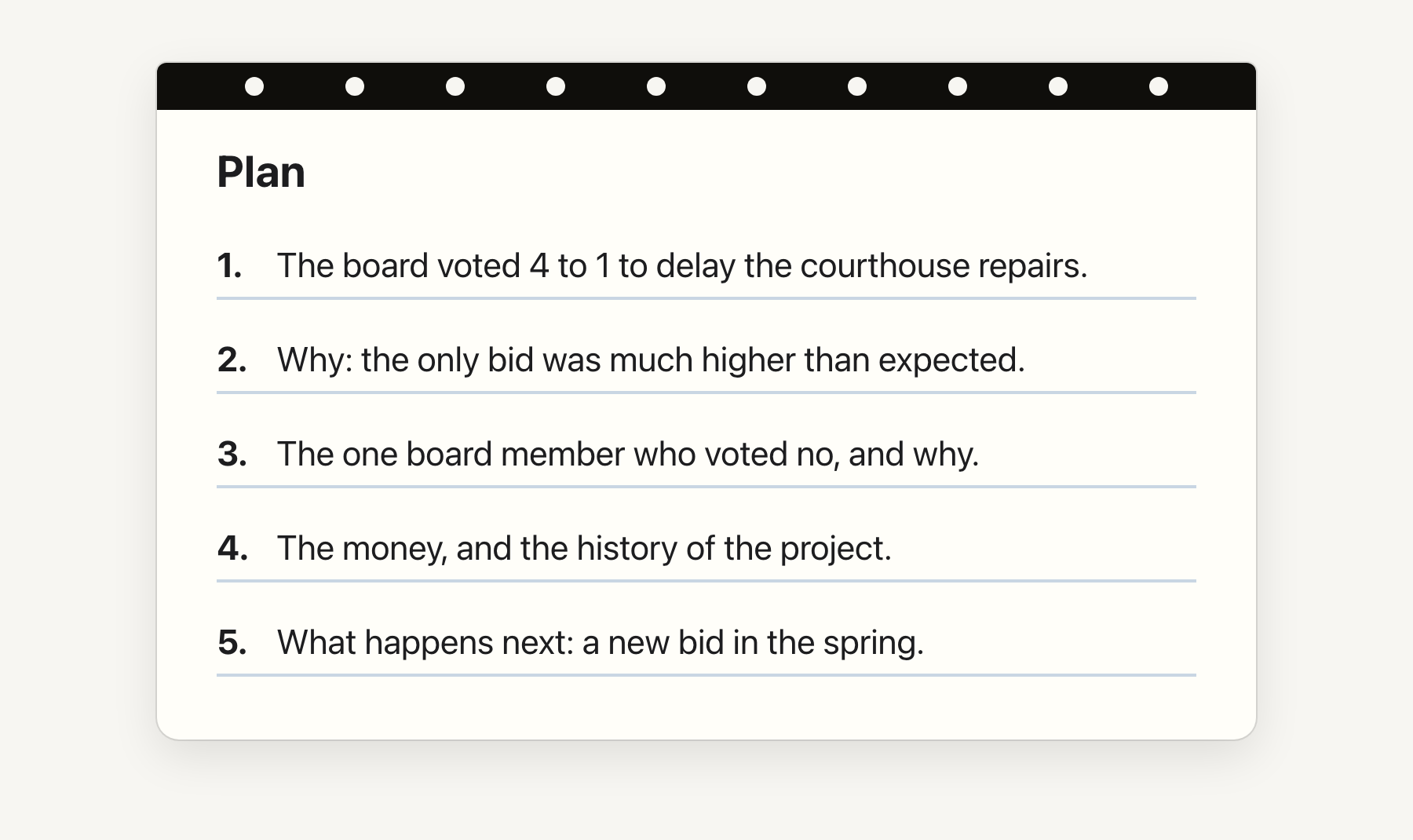
- Write the five lines of your plan. For example, for a story about a county board vote:
- The board voted 4 to 1 to delay the courthouse repairs.
- Why: the only bid was much higher than expected.
- The one board member who voted no, and why.
- The money, and the history of the project.
- What happens next: a new bid in the spring.
- Keep the plan in front of you while you write the draft.
How do you write a first draft fast?
You write a first draft fast by writing it in one go, without stopping to fix anything. Clark calls this a "draft and a half": one fast draft, then one quick read to fix mistakes and cut words you don't need.
These rules help:
- Follow your five-line plan, in order.
- Where a quote goes, write a short note instead of the quote, like "quote from the board member on the bid". You will copy the real words from your notes or the recording later.
- Don't fix spelling or wording while you write. You will do this when you read it again.
- Stop when every line of the plan has its paragraph.
Some reporters find it faster to say the first draft out loud than to type it. In a study by Stanford University and the University of Washington, people entered text about three times as fast by speaking as by typing on a phone keyboard. When you speak, it is also harder to stop and polish each sentence, so you finish the draft sooner.
You can try this for free on your Mac. In Google Docs, click Tools, then Voice typing.
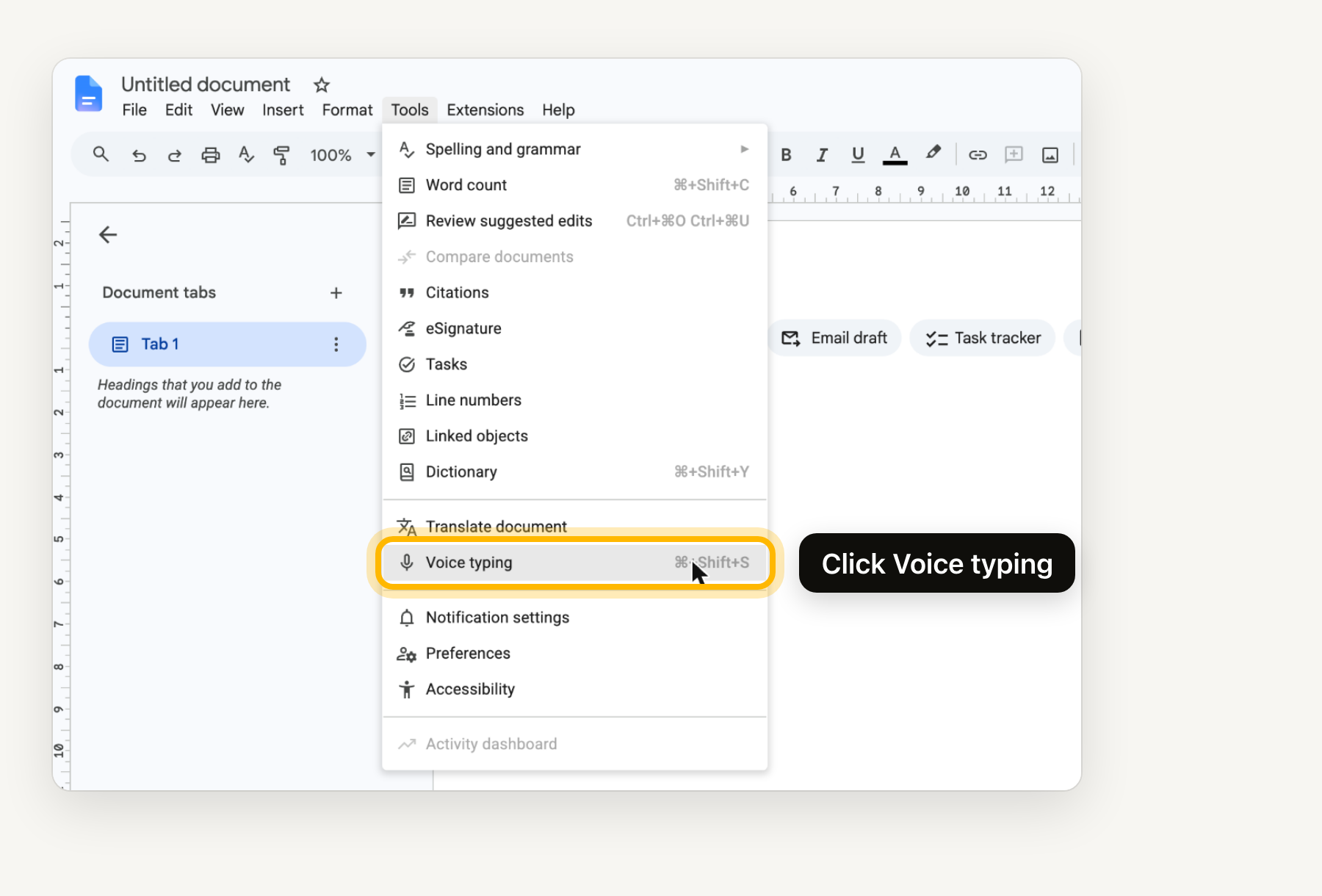
You can also use Apple Dictation, which works in any app on your Mac. Our guides on how to dictate in Google Docs on a Mac and how to dictate on a Mac show every step.
How long does it take to write a 600 word article?
Typing 600 words takes about 12 minutes at the average typing speed of 52 words a minute. Saying them out loud at 150 words a minute takes about 4 minutes.
But typing is the smallest part of the work. Most of the time goes to planning before the draft and to checking after it. So when you plan your time, count the planning and the checking, not only the typing.
How do journalists check facts in a story?
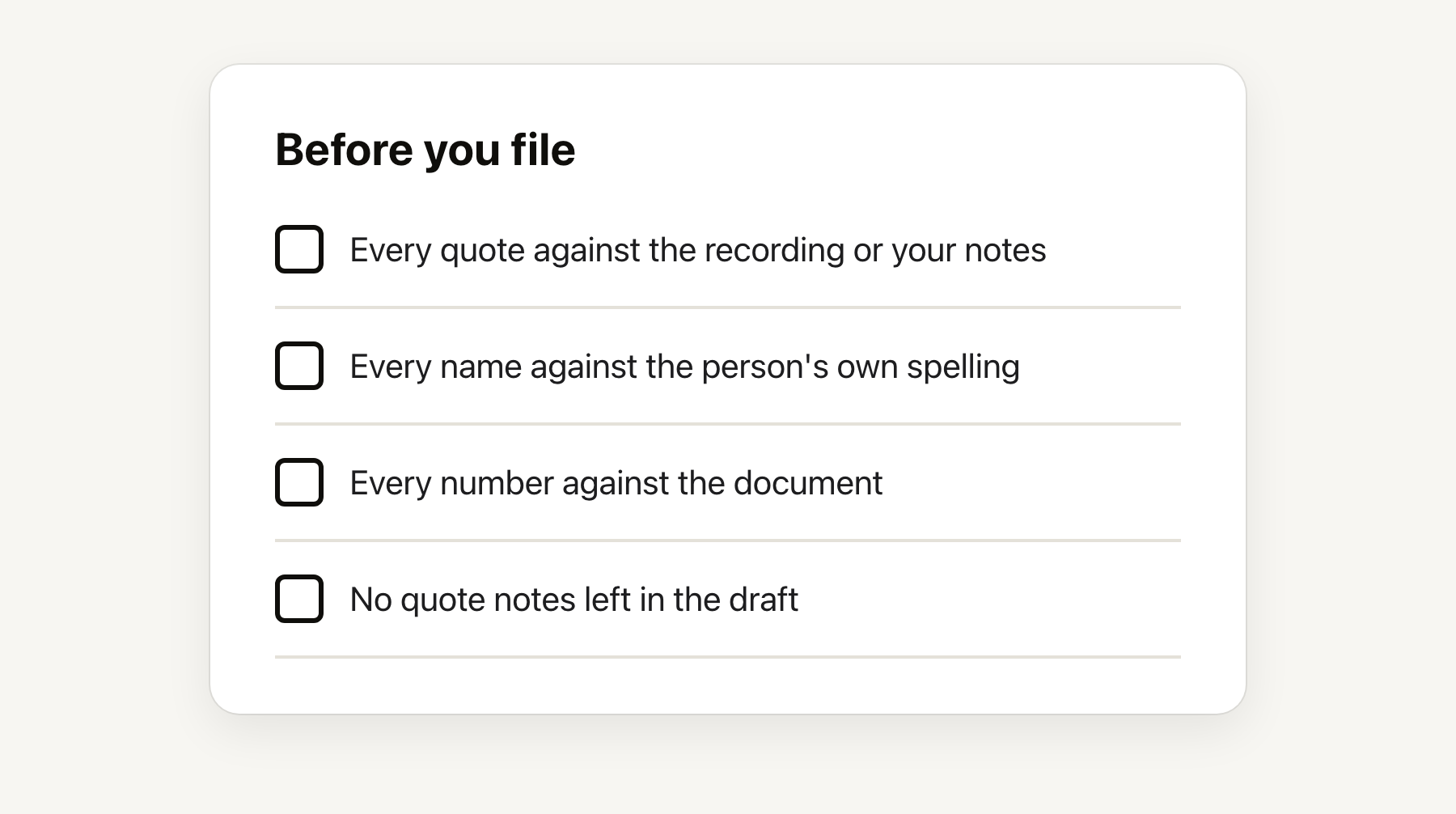
Journalists check each fact against where it came from. Every quote is checked against the recording or the notebook. Every name is checked against how that person spells it. Every number is checked against the document it came from.
Use this checklist before you file:
- Read each quote next to the recording or your notes. Fix any word that is different.
- Check the spelling of every name. Use the person's business card, their page on their employer's website, or ask them.
- Check every number against the document, such as the meeting record or the budget.
- Search the draft for your quote notes, like "quote from", and make sure none are left.
- If you can't check a fact yet, mark it clearly in the draft, and check it before you file.
A fast draft only helps if you still leave time to check the story. Writing the draft faster does not reduce the checking a story needs.
When should a journalist pay for a dictation app?
For simple, short text, like a text message, a web search or a quick reply, Apple Dictation works fine in most cases.
A paid app makes sense if you write for hours every day, and if you don't want to fix the dictation errors that Apple Dictation makes.
We've built Roar, the best way to write with your voice. Roar cleans up and formats text based on where you're writing to retain your exact meaning. Think of how emails, LinkedIn posts and AI prompts all need to be formatted differently. It keeps your exact words, to the best extent possible. Roar types into Google Docs, Gmail and Slack, so you can say a first draft or a message to your editor where you already write.
Roar keeps no recordings of your voice and no transcripts on our servers. It does not use your data to train AI models. Roar works on Macs with macOS 14 Sonoma or later and Apple silicon (M1 or newer).
Your first 5 dictations on Roar are free. You can read how Roar works for journalists or download Roar for Mac.