How to write podcast show notes
Podcast show notes are the text under each episode. Good show notes have a short summary, the guest, timestamps, links and one call to action.
Podcast show notes are the text that appears under each episode in apps like Apple Podcasts and Spotify. Good show notes tell a listener what the episode is about, who is in it, and where to find the things you mention.
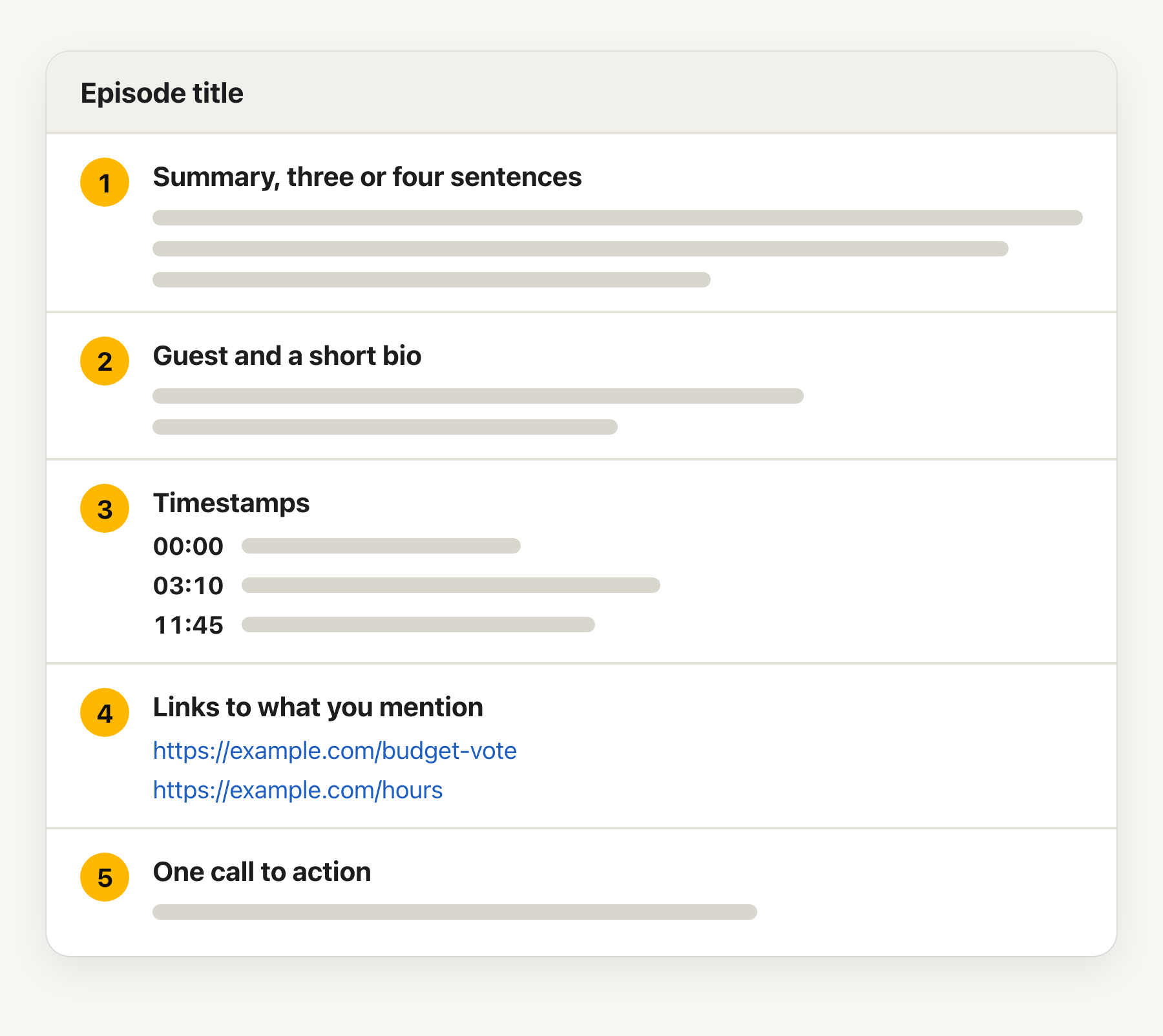
Every episode's show notes can follow the same five parts:
- A summary of the episode in three or four sentences.
- The guest's name and a short bio.
- Timestamps for the main topics.
- Links to everything you mention.
- One thing you want listeners to do next.
We have built Roar, a dictation app that is light years ahead of Apple Dictation. There's a link to try Roar for free at the end of this article.
What are show notes in a podcast?
Show notes are the episode description you write when you publish an episode. Your podcast host sends it to the apps, and listeners read it before they press play, or while they listen.
Show notes are different from a transcript. A transcript is every word of the episode. Show notes are a short guide to it.
Is there a template for podcast show notes?
Yes. Copy this template and fill it in for each episode.
[Episode title]
[Summary: three or four sentences. What the episode is about, and why a listener should care. Put the most important point first.]
Guest: [Name], [title or one line about who they are].
[Bio: two or three sentences, under 75 words.]
Timestamps:
00:00 [Topic]
[mm:ss] [Topic]
[mm:ss] [Topic]
Mentioned in this episode:
[One call to action, like "Subscribe so you don't miss next week's episode" or "Read the full report at https://[link]".]
What should podcast show notes include?
Show notes should include a summary, the guest, timestamps, links and one call to action. This is what podcast hosts like Buzzsprout and Captivate recommend.
- Summary: three or four sentences are usually enough, according to Spotify. Spotify shows only the first 250 characters before a listener has to tap to see more, so put the most important point first.
- Guest: their name, and a short bio. Buzzsprout suggests keeping a bio under 75 words.
- Timestamps: the minute where each main topic starts. They help listeners jump to the part they want.
- Links: to every book, article, study or tool you mention.
- Call to action: one thing you want listeners to do. Buzzsprout suggests one call to action per episode, not several.
How long should podcast show notes be?
Keep them short. A summary of three or four sentences is enough, and the timestamps and links make up the rest.
The apps allow much more. Apple Podcasts Connect, where you can publish episodes on Apple Podcasts, takes an episode description of up to 10,000 characters and an episode title of up to 150 characters.
How do you add timestamps to podcast show notes?
Write each timestamp on its own line, followed by the topic. On Spotify, timestamps in this format become chapters that listeners can tap.
00:00 Introduction
04:30 Why the city cut the library budget
18:15 What happens next
Spotify, Apple Podcasts and YouTube each have their own rules for chapters:
| Rule | Spotify | Apple Podcasts | YouTube |
|---|---|---|---|
| First timestamp | 00:00 or 00:00:00 | 00:00:00 | 00:00 |
| Fewest chapters | 3 | 3 | 3 |
| Shortest chapter | 30 seconds | 2 minutes (Apple's advice) | 10 seconds |
| Chapter title | Under 40 characters (Spotify's advice) | 45 characters or fewer, under five words | No limit given |
Apple Podcasts can also create chapters by itself for English episodes that are at least 10 minutes long, if Apple has made a transcript of the episode. You can switch this off for your show in Apple Podcasts Connect.
Do links work in podcast show notes?
Yes on Spotify, but with one rule: Spotify only supports links that start with https, not http.
On Apple Podcasts, links may not be clickable. Transistor, a podcast host, says the newest Apple Podcasts app no longer shows links or bullet points in show notes. Its advice is to write each link out in full, as plain text, like https://example.com. Then a listener can still copy it.
What is an example of good podcast show notes?
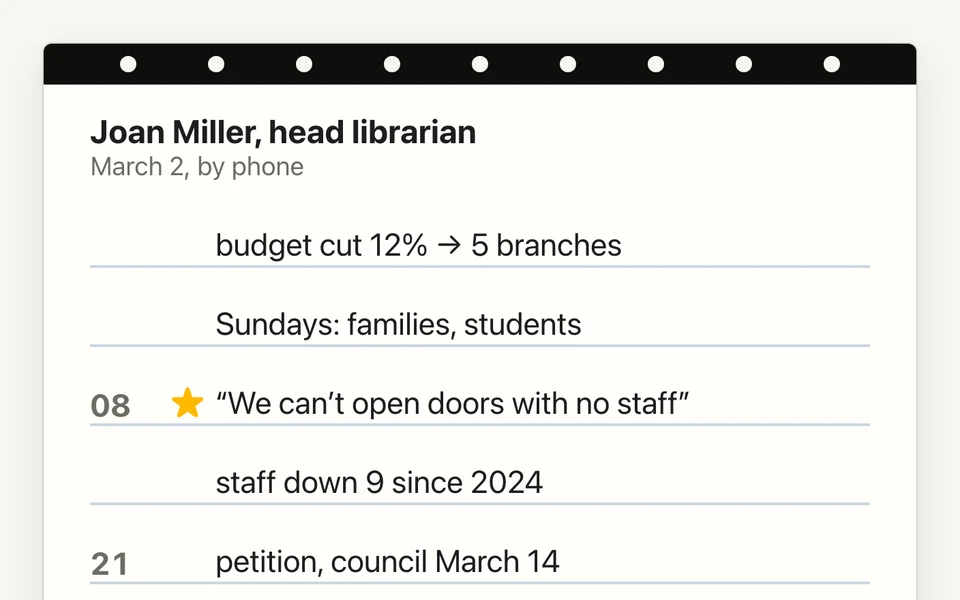
Here is an example for a made-up local news podcast. It has all five parts.
Why the city is closing the library on Sundays
The city council voted on Tuesday to close all five branch libraries on Sundays from March. We talk to the head librarian about what it saves, who it affects, and what residents can still do about it.
Guest: Joan Miller, head librarian of the city library.
Joan has run the city's library system for 12 years.
Timestamps:
00:00 Introduction
03:10 What the council decided
11:45 Who uses the library on Sundays
22:30 What residents can do
Mentioned in this episode:
The council's budget vote: https://example.com/budget-vote
The library's opening hours: https://example.com/hours
Send us your questions about the library cuts at https://example.com/contact. We will answer them next week.
How do you write show notes faster?
Write them right after you record, while the episode is fresh in your mind. Captivate, a podcast host, suggests making a template for your own show, so you only fill in the parts that change.
Saying the summary is often faster than typing it. Click into the description box, press the Microphone key on your Mac, and say what the episode is about, as you would tell a friend. Then add the timestamps and links. Our guide on how to dictate on a Mac shows how to turn on Apple Dictation.
When should you pay for a dictation app?
For simple, short text, like a text message, a web search or a quick reply, Apple Dictation works fine in most cases.
A paid app makes sense if you write for hours every day, and if you don't want to fix the dictation errors that Apple Dictation makes.
We've built Roar, the best way to write with your voice. Roar cleans up and formats text based on where you're writing to retain your exact meaning. Think of how emails, LinkedIn posts and AI prompts all need to be formatted differently. It keeps your exact words, to the best extent possible.
Roar keeps no recordings of your voice and no transcripts on our servers. It does not use your data to train AI models. Roar works on Macs with macOS 14 Sonoma or later and Apple silicon (M1 or newer).
Your first 5 dictations on Roar are free. You can read how Roar works or download Roar for Mac.